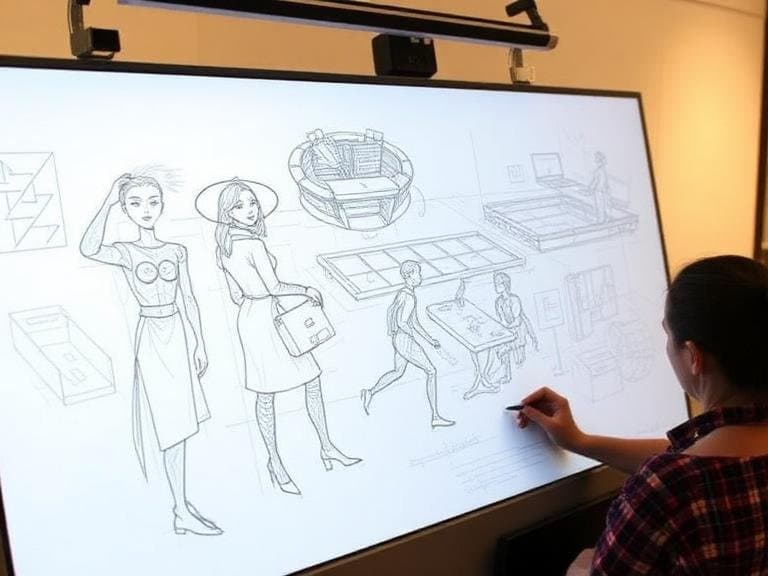
Overview of Real-Time Collaborative Sketching
Collaborative sketching has become a central practice for design teams that need to generate visual concepts quickly and align ideas across geographic boundaries. Modern platforms provide an infinite digital canvas where participants can draw, annotate, and rearrange elements in real time. The shift from static whiteboards to interactive, cloud‑based environments allows cross‑functional groups to iterate on concepts without the friction of version control or file sharing.
Key Platforms Enabling Team Design Sessions
Several tools dominate the collaborative sketching market, each offering a distinct set of capabilities. Miro, described as an AI‑powered platform, supports real‑time problem solving for cross‑functional teams and includes features such as digital sticky notes, infinite canvas, and strategic planning aids. IdeaBoard delivers an expansive canvas that mimics the freedom of physical brainstorming, allowing designers to drag, drop, and arrange elements without constraints. CollabyDraw provides a web‑based whiteboard where multiple users can draw, edit, and brainstorm together instantly. Emerging solutions such as Collaborative AR Walls blend physical and virtual workflows, enabling remote participants to draw on a shared digital surface in augmented reality.
Feature Comparison of Leading Tools
The following list outlines core functionalities reported across the surveyed platforms:
- Miro: AI‑driven assistance, digital sticky notes, infinite whiteboard, real‑time collaboration, strategic planning templates.
- IdeaBoard: Unlimited canvas space, freeform drag‑and‑drop, element arrangement flexibility, visual creativity focus.
- CollabyDraw: Web‑based interface, simultaneous drawing, instant edit synchronization, lightweight deployment.
- Collaborative AR Walls: Real‑time drawing in augmented reality, shared digital canvas that integrates physical gestures, hybrid workflow support.
All tools prioritize low latency interaction, ensuring that strokes appear instantly for every participant. The AI component in Miro adds a layer of automated suggestion, helping teams converge on decisions faster. IdeaBoard’s emphasis on unrestricted canvas space supports open‑ended ideation, while CollabyDraw’s simplicity makes it suitable for quick sketch sessions without extensive onboarding.
Emerging Technologies: AR Walls and AI Integration
Collaborative AR Walls represent a convergence of spatial computing and design collaboration. By projecting a shared canvas into a mixed‑reality environment, teams can interact with sketches using natural gestures, reducing the cognitive load associated with switching between devices. This technology bridges the gap between remote participants and in‑person workshops, creating a unified visual space.
AI integration, highlighted in Miro’s platform, automates routine tasks such as organizing sticky notes, suggesting layout improvements, and summarizing discussion points. The AI engine processes user inputs in real time, offering contextual recommendations that streamline the decision‑making process. This capability aligns with the broader trend of augmenting human creativity with machine intelligence, allowing designers to focus on higher‑level conceptual work.
Best Practices for Effective Collaborative Sketching
To maximize the benefits of these tools, teams should adopt structured workflows. Begin sessions with a clear agenda and assign a facilitator to manage the canvas, ensuring that contributions are organized and visible. Utilize digital sticky notes for idea capture, then transition to freeform sketching to explore visual relationships. Leverage AI suggestions sparingly, treating them as prompts rather than directives.
When working with AR Walls, prepare the physical space by calibrating the projection area and confirming that all participants have compatible headsets or devices. Encourage the use of color coding and layer management to maintain clarity as the sketch evolves. For distributed teams, enforce consistent naming conventions for layers and objects to reduce ambiguity during handoffs.
Regularly export the canvas state as a high‑resolution image or PDF to preserve a snapshot of the session’s outcomes. This archival step supports documentation, stakeholder review, and future reference. Incorporating feedback loops—such as post‑session surveys—helps refine the collaborative process and identify tool‑specific pain points.
Conclusion
Collaborative sketching tools such as Miro, IdeaBoard, CollabyDraw, and AR Walls are redefining how design teams generate and refine visual concepts. By providing real‑time, infinite canvases and integrating AI or augmented reality, these platforms reduce friction, accelerate decision making, and support distributed creativity. Teams that adopt structured practices and leverage each tool’s unique strengths can achieve more cohesive, innovative outcomes in their design sessions.