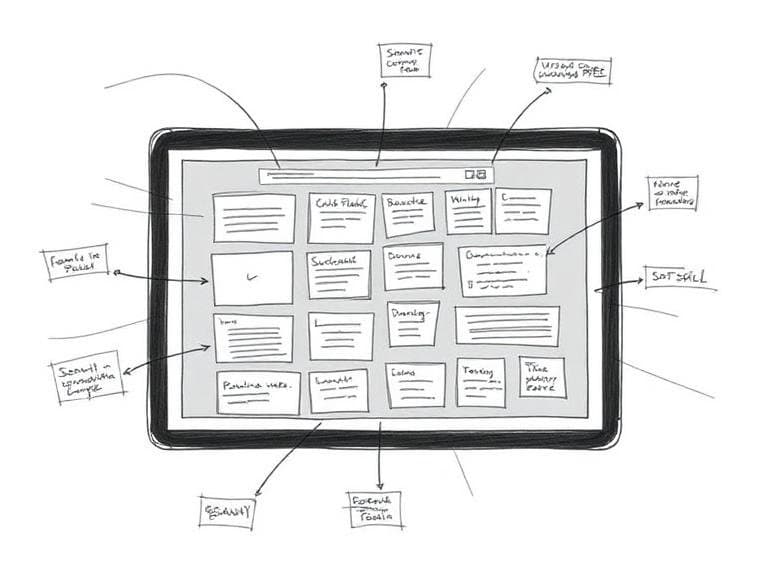
What Is a Wireframe?
A wireframe is a skeletal layout of a website or app that defines its structure, navigation, and content hierarchy. It acts as a visual blueprint showing how each element—text, buttons, images, videos—will be positioned within the user interface. The purpose is to quickly lay out ideas and demonstrate how everything fits together before any colors, images, or detailed styling are added. Reported from What is a wireframe? A guide for non-designers
Why Sketching Remains Crucial in Wireframing
Sketching provides the low‑fidelity foundation for any wireframe. Low‑fidelity wireframes are described as the most basic form, comparable to a rough sketch on a napkin. They are intentionally plain, using simple black‑and‑white lines to convey layout without distraction. This approach encourages rapid iteration, focus on functional placement, and early feedback from stakeholders. Sketching also mirrors the definition of wireframes as “simple, black‑and‑white sketches that show the basic structure and layout” of a digital product. Reported from How to Create Wireframes for Beginners in 2025?
Step‑by‑Step Wireframe Creation Process
Creating an effective wireframe follows a structured process that begins with clear goals and ends with a digital prototype. The process can be broken down into several stages:
- Define User Goals and Business Objectives – Identify what users need to achieve and what outcomes the business expects. This step is highlighted in The Complete Wireframe Design Process To Follow, which emphasizes planning from user goals to layouts.
- Sketch the Basic Layout – Using pen and paper or a digital sketching app, draw the primary sections of the page: header, navigation, content blocks, and footer. The sketch should be rough, focusing on placement rather than detail.
- Annotate Interactions – Add notes that describe expected behavior, such as where a button leads or how a menu expands.
- Translate Sketch to Digital Wireframe – Move the hand‑drawn sketch into a wireframing tool to create a clean, shareable version. This step converts the “digital sketch, mock‑up, or prototype” into a more formal artifact.
- Review and Iterate – Share the digital wireframe with designers, developers, and stakeholders. Gather feedback and refine the layout before moving to high‑fidelity design.
Each stage reinforces the definition of wireframes as “simple, visual guides” that streamline communication across teams. Reported from The Complete Wireframe Design Process To Follow
Tools and Techniques for Translating Sketches to Digital Wireframes
While sketching can be done with traditional media, modern wireframing tools accelerate the transition from paper to screen. One recommended tool is Visily, which can quickly transform hand‑drawn sketches into digital wireframes. Mastering Wireframe Design: Techniques & Best Practices notes that starting with defined goals and basic layout sketches enables tools like Visily to generate accurate, editable wireframes.
Typical workflow with a tool such as Visily includes:
- Importing a scanned sketch or photo.
- Using auto‑recognition features to detect basic shapes and placeholders.
- Refining element positions, adding annotations, and linking pages.
- Exporting the wireframe as a PDF or interactive prototype for stakeholder review.
These capabilities align with the broader definition that a wireframe is a “digital sketch, mock‑up, or prototype” showing each UI element’s position. Reported from Mastering Wireframe Design: Techniques & Best Practices
Best Practices and Common Pitfalls
Adhering to established best practices ensures that wireframes remain effective communication tools. Key guidelines derived from multiple sources include:
- Keep It Simple – Use black‑and‑white or grayscale elements; avoid colors, images, or detailed typography.
- Focus on Structure Over Aesthetics – Emphasize layout, hierarchy, and navigation pathways before visual design decisions.
- Use Consistent Symbols – Standardize icons for buttons, menus, and form fields to reduce ambiguity.
- Iterate Early and Often – Leverage low‑fidelity sketches to explore multiple concepts quickly.
- Document Decisions – Annotate why certain placements were chosen to preserve rationale for later stages.
Common pitfalls include over‑detailing at the sketch stage, which can hinder rapid iteration, and neglecting to align wireframes with user goals, which reduces their strategic value. The definition of a wireframe as a “blueprint” underscores the need for clarity and purpose throughout the process. Reported from What Is a Wireframe? + How to Create One