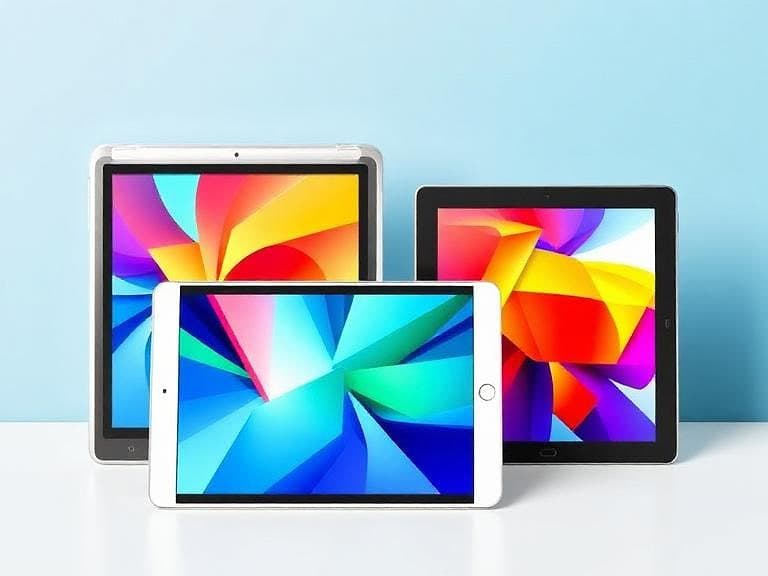
Understanding Screen and Non-Screen Tablets
Drawing tablets fall into two clear categories: those with an integrated display (screen tablets) and those that rely on an external monitor (non-screen tablets, often called pen tablets or graphics tablets). The distinction defines how artists interact with their work. With a screen tablet, the stylus directly contacts the visual surface, creating an immersive experience. With a non-screen tablet, the stylus contacts a pad while the image appears on a separate monitor, requiring a hand‑eye coordination shift. As noted in recent guidance, "Choosing between a screen and non-screen tablet can feel overwhelming, but it all comes down to your personal comfort, budget, and goals."
Workflow and User Experience
The workflow differences are central to the decision. Screen tablets allow artists to draw exactly where they see the line, reducing the mental translation step. This directness is described as an "immersive feel" that many creators gravitate toward when they can "justify the investment." Non-screen tablets, by contrast, keep the drawing surface separate from the display. The resulting hand‑eye coordination can feel less intuitive for newcomers but is familiar to those who already work with a traditional monitor setup. Both tools "have their pros and cons," and the choice often hinges on how much the artist values immediacy versus flexibility.
Artists who prioritize a seamless, natural drawing motion often report higher satisfaction with screen tablets. The tactile alignment between stylus and pixel eliminates the need to glance between two devices, a benefit highlighted in hands‑on reviews. Conversely, users who appreciate a lightweight, compact setup may find the non-screen tablet advantageous, especially when mobility or limited desk space is a concern.
Cost and Budget Considerations
Price is a decisive factor for most beginners. Screen tablets typically carry a higher price tag because they combine a high‑resolution display with pressure‑sensitive input technology. The extra cost is repeatedly described as a "budget‑friendly" trade‑off for non‑screen tablets, which are positioned as more affordable entry points. One analysis states that the "extra cost" of a screen tablet must be weighed against the "immersive feel" it provides, and that many artists keep a non‑screen tablet "for quick portability and budget friendliness."
When budgeting, the total cost of ownership includes not only the tablet itself but also any necessary accessories, such as a stand or a compatible monitor for non‑screen models. The financial decision therefore aligns with the broader question of whether the artist can "justify the investment" for a screen tablet or prefers the "more affordable screenless" alternative.
Portability and Space Requirements
Physical footprint influences daily use. Screen tablets, with built-in displays, are generally bulkier and heavier than their non‑screen counterparts. This added size can limit on‑the‑go usage but may be acceptable for a dedicated studio environment. Non-screen tablets excel in portability; they are lightweight, easy to pack, and require only a connection to an existing monitor. This portability is frequently cited as a reason to retain a "trusty drawing tablet setup for quick portability" while still owning a screen tablet for studio work.
Space constraints also affect ergonomics. A screen tablet demands a clear work surface where the artist can rest both hands and view the display comfortably. Non-screen tablets can be placed on any flat surface, and the monitor can be positioned independently, offering more flexibility in cramped workspaces.
Matching the Tablet to Your Goals
Personal goals shape the optimal choice. Beginners aiming for a low‑cost entry point may start with a non-screen tablet, focusing on learning fundamentals without a large financial commitment. Those seeking an immediate, immersive drawing experience—perhaps for illustration, concept art, or detailed graphic design—might prioritize a screen tablet despite the higher price. The recurring guidance emphasizes that the decision "all comes down to your personal comfort, budget, and goals."
For artists planning to expand into advanced techniques, such as layered painting or precise color work, the direct visual feedback of a screen tablet can accelerate skill development. Conversely, artists who value flexibility, travel frequently, or need a secondary device for quick sketches may find the portability and affordability of a non-screen tablet more aligned with their workflow.
Conclusion: Making the First Purchase Decision
There is no universal answer to whether a screen or non-screen tablet is the better first purchase. The choice requires weighing immersive interaction against cost, portability against workspace, and personal comfort against long‑term artistic goals. As experts conclude, "there's no 'one size fits all' answer for drawing on tablet vs screen tablet." By assessing budget constraints, intended usage scenarios, and comfort with hand‑eye coordination, beginners can select the tablet type that best supports their creative journey.