
AI-Assisted Sketching Workflow: Blend AI with Human Artistry

An AI-assisted sketching workflow that feels human is a hybrid process where generative tools handle the heavy lifting of pattern completion and rough structuring, while the artist retains absolute control over the "final 10%"—the critical details, emotional resonance, and aesthetic judgment. By treating AI as a sophisticated sketching assistant rather than a replacement, designers can accelerate their production speed and conquer "blank page" syndrome while ensuring the end result possesses a unique identity that only human taste can provide.
The Role of AI in the Modern Design Pipeline
In 2026, the conversation around AI has shifted from "replacement" to "augmentation." AI is essentially pattern completion at scale, meaning it remixes existing data to generate outputs. As noted by Adobe, this means AI cannot replace the judgment, surprise, or emotion that humans bring to a piece of art.
While AI is now capable of outperforming humans in certain creativity tasks—particularly in producing high volumes of variations or applying behavioral psychology principles in UX design, as highlighted by Behavioral Design Academy—it lacks intentionality. A human designer doesn't just choose a color because it fits a pattern, but because it evokes a specific memory or emotion.
Structuring a Professional AI-Assisted Sketching Workflow
To maintain a human feel, the workflow must be structured so that the AI does not have the final word. According to HackerNoon, turning AI art from random to precise requires moving through four distinct levels of control:
Level 1: Beginner (Text Prompts and Regeneration)
Start by using tools like Adobe Firefly or Leonardo to generate a wide array of conceptual directions. Instead of spending hours on basic perspective or anatomy roughs, use AI to "rough out" the mockup. This stage is about exploration and volume, allowing you to see twenty different compositions in the time it would take to sketch one.
Level 2: Intermediate (Reference Images)
Once you have a general direction, move beyond text. Use your own rough sketches as reference images to guide the AI. This ensures the AI follows your specific spatial intent rather than relying on its own internalized patterns.
Level 3: Advanced (Full Composition Control)
At this stage, the human artist takes the lead. Use tools like Adobe Firefly's sketch-to-image generator to turn doodles into digital art. This allows you to refine and control sketches with AI precision, streamlining the workflow by using the AI to fill in the technical gaps of a manual drawing.
Level 4: Professional (Post-Processing and Refinement)
The final stage involves moving the AI output into tools like Photoshop or Canva. According to GTM Strategist, the final 10% of a project—the part that makes the work unmistakably yours—must happen with humans making active decisions about line weight, focal points, and narrative detail. Tools like Copainter can further assist here by enhancing line art quality and reducing the workload of corrections, allowing the artist to focus on main production instructions.
Specialized AI Workflows for Architecture and CAD
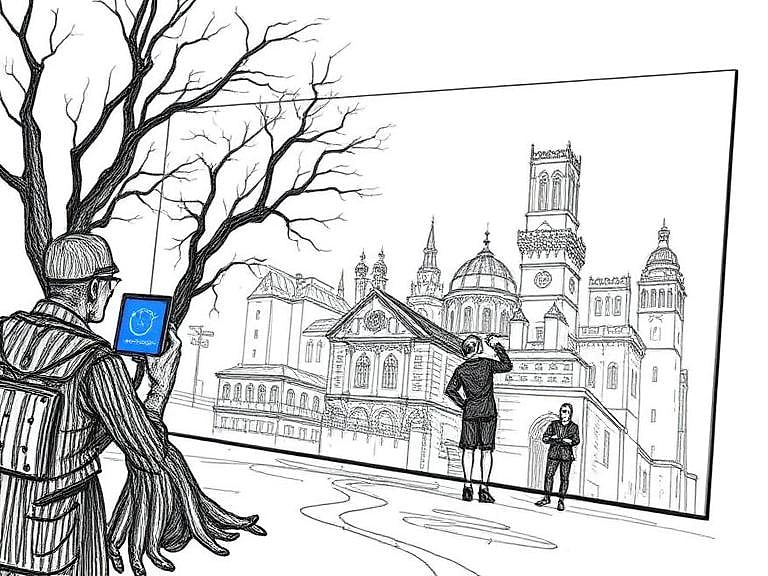
The application of an AI-assisted sketching workflow extends into technical fields where precision is paramount. In architectural design, AI is not meant to replace the architect but to turn early ideas into visual concepts.
BricksnPixels explains that a sketch-to-render workflow allows designers to quickly visualize a concept before committing to full technical drawings. This process can be further integrated into a broader architectural pipeline by choosing specific design stages and matching AI tools to those tasks to build a connected step-by-step workflow.
For those working with technical files, Graebert reports that AI assistants like Claude, combined with MCP connectors to ARES Commander, allow non-CAD experts to start with a simple image and produce a 3D drawing entirely through AI-assisted guidance. This bridges the gap between a creative sketch and a functional DWG file.
Why "Taste" is Your Greatest Asset
As AI tools become more accessible, the technical ability to generate a "perfect" image is no longer a competitive advantage. The true differentiator in 2026 is taste. Taste is the ability to know when a design is "finished" and when it feels sterile.
AI-generated work often suffers from a lack of "surprise." Because it relies on existing patterns, it tends toward the average. Human designers introduce the unexpected—the slight asymmetry, the intentional imperfection, or the bold color choice—that creates an emotional connection with the viewer.
Avoiding the "Pretend" Workflow
There is a growing critique of AI tools that attempt to imitate a human drawing process—such as videos showing a "sketch" appearing line-by-line. Discussions on Reddit suggest that instead of using AI to "play pretend" at being a human artist, designers should focus on using AI to do the things humans find tedious, leaving the actual artistry to the person.
To keep your work feeling human, avoid these common pitfalls:
Over-reliance on "One-Click" Solutions: If you use a single prompt to generate a final image, the result will lack the iterative depth of a human-led project.
Ignoring the Sketching Phase: Even in an AI workflow, manual sketching (even rough digital scribbles) helps define the intent before the AI begins its pattern completion.
Skipping the Critique: AI cannot tell you if a design "feels" wrong; it can only tell you if it matches the prompt.
Comparing AI vs. Human-Centric Contributions
To better understand where to apply AI and where to apply human skill, refer to the following breakdown of the design process.
Design Stage | AI Contribution (Efficiency) | Human Contribution (Quality) |
|---|---|---|
Ideation | Rapidly generates 50+ variations | Curates the best 2-3 directions |
Structuring | Handles perspective and basic layout | Adjusts composition for storytelling |
Detailing | Fills in textures and patterns | Adds "soul," emotion, and intent |
Final Polish | Upscaling and noise reduction | Final aesthetic judgment and "taste" |
Common Questions About AI-Assisted Workflows
Can AI replace the need for manual sketching skills?
No. Manual sketching defines the intent. Without the ability to sketch a rough composition, the designer is at the mercy of the AI's patterns. Manual sketching allows you to dictate the structure, while AI simply handles the rendering.
How do I stop my AI art from looking "too AI"?
The key is the "Professional" phase of the workflow. Avoid one-click generations. Instead, use AI for the roughs, then manually paint over the image, adjust the lighting, and introduce intentional imperfections that break the AI's mathematical symmetry.
Which tools are best for a sketch-to-render pipeline?
For general digital art, Adobe Firefly is highly effective for turning doodles into images. For architectural renders, tools like BricksnPixels provide specialized workflows to turn early conceptual sketches into realistic architectural visualizations.
Final Advice for the Hybrid Artist
The goal of an AI-assisted sketching workflow is not to remove the artist from the process, but to remove the friction. Use AI to conquer the "blank page" syndrome and to handle the repetitive aspects of structuring a mockup. However, always reserve the final 10% for yourself. Your judgment, your emotional intelligence, and your taste are the only things AI cannot remix; they are what make your work valuable in a world of automated patterns.
Sources
Generative AI imitating a (human) drawing workflow video ... - Reddit — reddit.com
What Is AI-Assisted Prototyping? Guide - Builders Camp — builderscamp.com
AI in design and content: Why taste is the true differentiator - Adobe — adobe.com
Why We Still Pay Human Designers in 2026 — knowledge.gtmstrategist.com
AI Workflows for Behavioral & UX Design: A 5-Level Skill-Building Path — behavioraldesign.academy
Emerging Hybrid Human-GenAI Workflows to ... - DRS Digital Library — dl.designresearchsociety.org

Leave a comment